Description
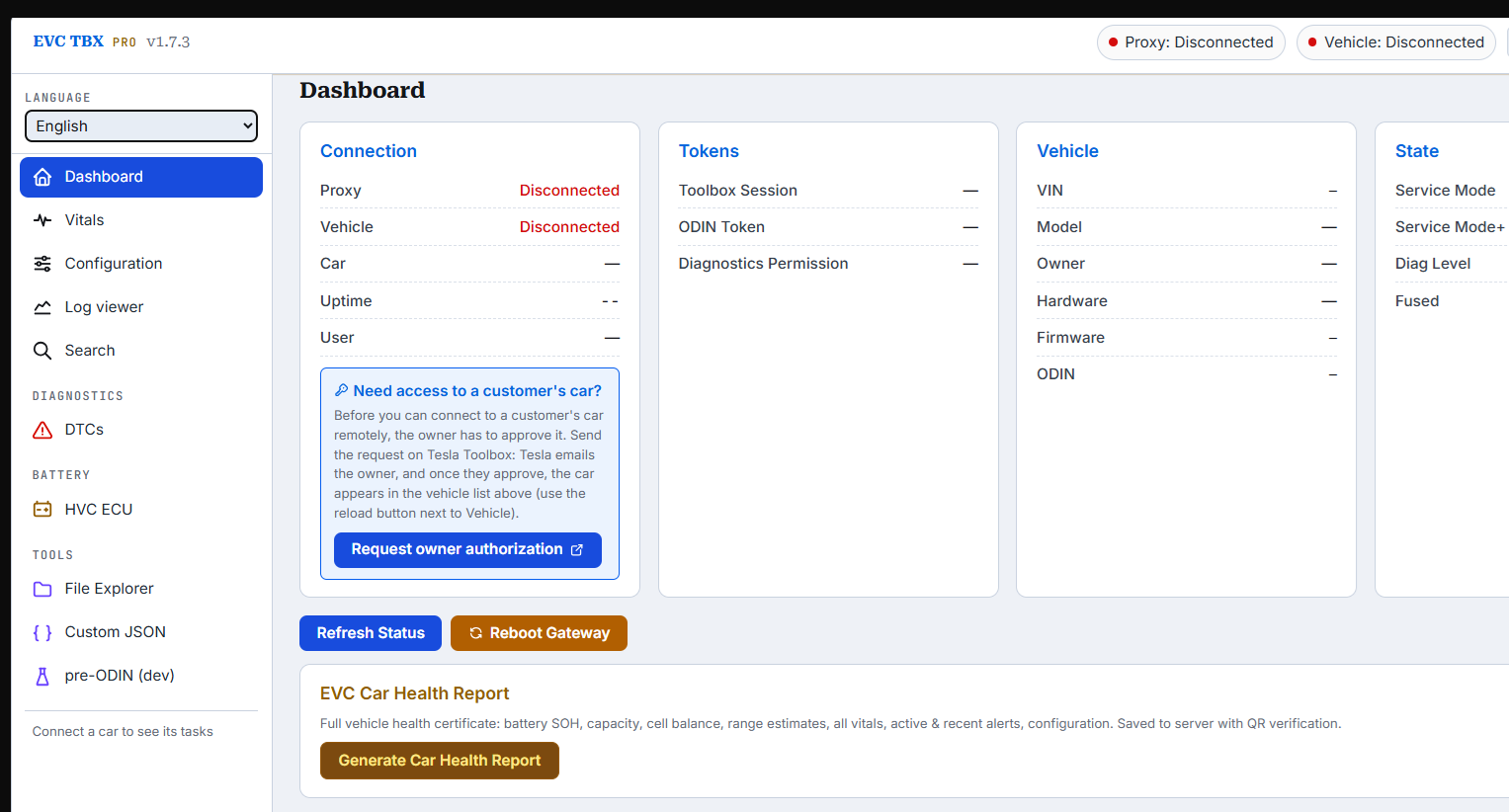
EVC TBX PRO is EV Clinic’s diagnostic tool for Tesla vehicles. It runs in your browser and talks to the car through a small Windows program on your PC. You work with the car’s own service routines, with every task explained and its result shown in plain text.
Remote fleet access: know the car before it arrives
EVC TBX PRO includes the only remote fleet access plugin for Tesla Toolbox.
- All you need is the VIN and the owner’s email. Send the authorisation request, the owner approves it, and the car appears in your vehicle list.
- Analyse the vehicle over time. Read its logs and data remotely and follow how the battery and systems behave across days and weeks, not only on the day of the visit.
- Generate the report in advance. Create the Car Health Report and see the vehicle’s condition before it reaches your workshop, so you can plan the job, order parts and give the customer an answer sooner.
- No cable and no visit needed. The car only has to be online.
Remote access uses Tesla’s API, so a Tesla Toolbox Online account is required.
What you can do
- Connect by cable or remotely. Use an Ethernet diagnostic cable in the workshop, or connect through Tesla with no cable when the car is online and the owner has approved access.
- Run the car’s service tasks. The task list is read from the connected car and sorted into groups: service modes, battery and charging, thermal, brakes, steering, suspension, doors and seats, keys, TPMS, firmware and more. Each task shows its description, warnings, inputs and a clear pass or fail.
- Read fault codes. See active and recent DTCs and alerts, with descriptions where they are known.
- Check the battery. Vitals, pack and cell-level data from the HV battery controller, and lifetime usage histograms.
- Issue a Car Health Report. A printable certificate with battery state of health, capacity, cell balance, range estimates, alerts and configuration, with QR verification.
- View and change vehicle configuration.
- Read vehicle logs. Pull logs from the car and plot signals in the log viewer.
- Use the advanced tools. File explorer, full-text search across all tasks, and a custom JSON command editor.
- Work in your language. English, German, Croatian, Slovenian and Serbian, with light, dark and high-contrast themes.
What the licence includes
- 12 months of access to EVC TBX PRO for one user account, starting when your order is completed.
- All updates released during that period.
- The Windows proxy program and the Chrome extension, as downloads.
What you need
- Your own Tesla Toolbox Online account. It is required for API access, for both remote and cable connections, and is not included.
- Approval from the vehicle owner for each car you connect to remotely.
- A Windows PC with Google Chrome.
- For cable connections: an Ethernet diagnostic cable for the vehicle.
Good to know
- Access is tied to your account on this site. Log in, open the EVC TBX PRO page, and the tool loads.
- Renewing before the expiry date adds 12 months to the time you have left.
- We send a reminder by email 7 days before your access expires.
- Some tools work only over a cable and are greyed out during a remote session.
- Which tasks are available depends on the vehicle and its software, because the list comes from the car itself.
- This is a professional tool. Some tasks change vehicle settings or put the car into service mode, so it is intended for trained technicians.
Soon adding:
Tegra MCU1 GTW Tesla bot blocking after config change (SUC, AP1, anything else) as SPC File editor for GTW cflash.bin file.
Pulling battery histograms report : First in the world.


Reviews
There are no reviews yet.